

Getting started with LUXengine
What LUXengine does, how the dashboard fits together, and the steps from your first sign-in to a delivered and invoiced job.
Updated 19 October 2026
LUXengine edits real estate photography, draws floor plans on iPad, and runs the business around them: jobs, delivery to your clients and invoicing, in one dashboard.
What LUXengine does
- AI image editing. Exposure blended, windows pulled, verticals straightened and colour matched across the set. It works on the files your camera captured and never invents anything that was not there.
- AI video. Property films cut from the clips you shot, never generated from stills.
- LUXplan floor plans. An iPad app for floor and site plans: sketch with the Pencil, photograph an existing plan, or scan the rooms. See Floor plans with LUXplan.
- The Platform. Jobs, delivery to your clients and invoicing.
Signing in
When your account is ready we send a welcome email with the address you sign in with and a temporary password. Sign in, then change the password straight away. If you forget it, use Forgot Password on the sign-in page.
Finding your way around
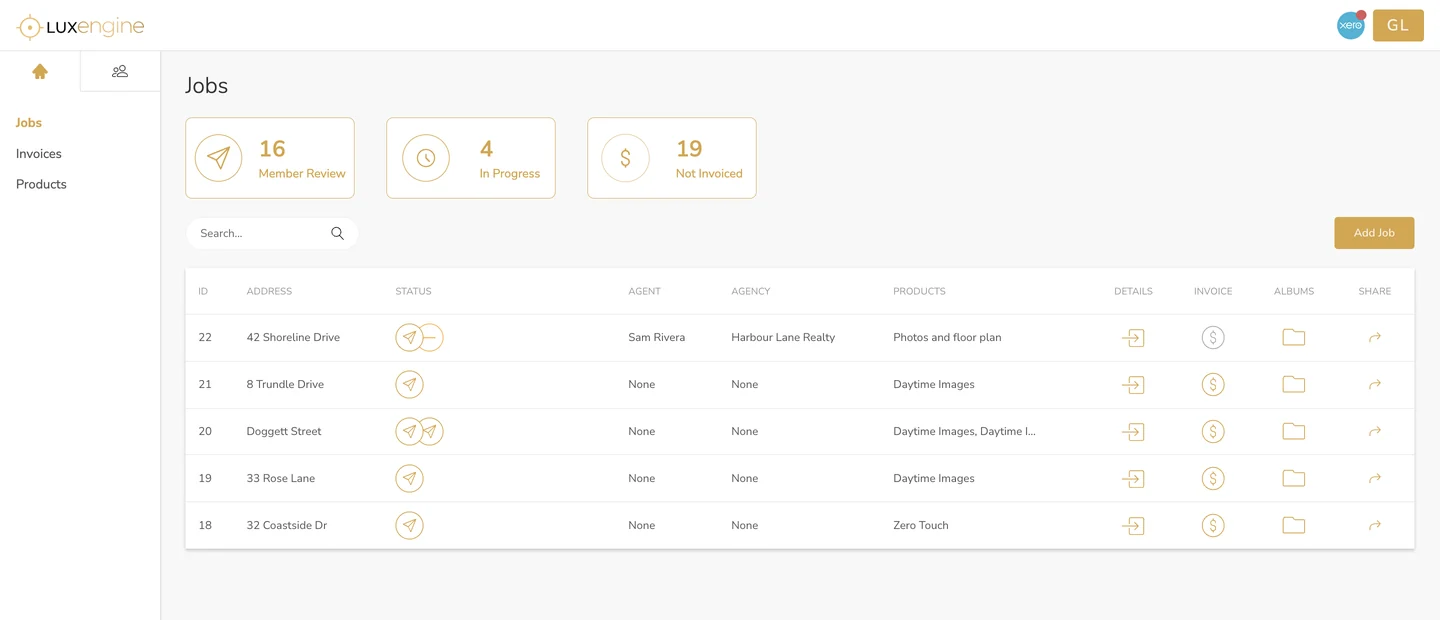
The menu on the left has three pages:
- Jobs lists every job, with counts across the top for jobs waiting for your review (Member Review), jobs being edited (In Progress) and jobs you have not invoiced yet (Not Invoiced).
- Invoices holds the invoices you have created for your clients.
- Products holds the things you sell.
The people icon at the top of the menu opens your clients: Agencies and Agents.
How it fits together
- Agencies are your clients. Each one holds the addresses that invoices and notifications go to, and its web image size and watermark.
- Agents belong to an agency. Adding them is optional, and they do not sign in: they see the delivered images in the albums you share.
- Products are what you sell. A product sets the lines on your invoice and which LUXengine services open an uploader when you add it to a job.
- Jobs tie it together. A job is the property address, with the agency, agent and products attached.
Your first job, step by step
- Set up your clients and products.
- Create a job and upload the shoot.
- When the job reaches Member Review, check what came back.
- Ask for changes if anything needs another pass.
- Share the album with your agent.
- Invoice your client.
Common questions
Do I need to install anything?
The dashboard runs in your web browser. LUXplan, for floor plans, is a free iPad app on the App Store.
Can I use LUXengine now?
LUXengine is in early access ahead of PMRE in Las Vegas in November 2026. Join the wait list or request early access.
Which plan do I need?
Every plan includes the full Platform. The plans differ in how many credits come with them each month. See How credits work.
More in getting started
Still need a hand?
Email hello@luxengine.com and tell us what you were trying to do.