

Uploading a shoot
Create a job, add a product and upload your files. What to send, and how to follow the upload and the editing.
Updated 19 October 2026
Create the job
- On the Jobs page, click Add Job.
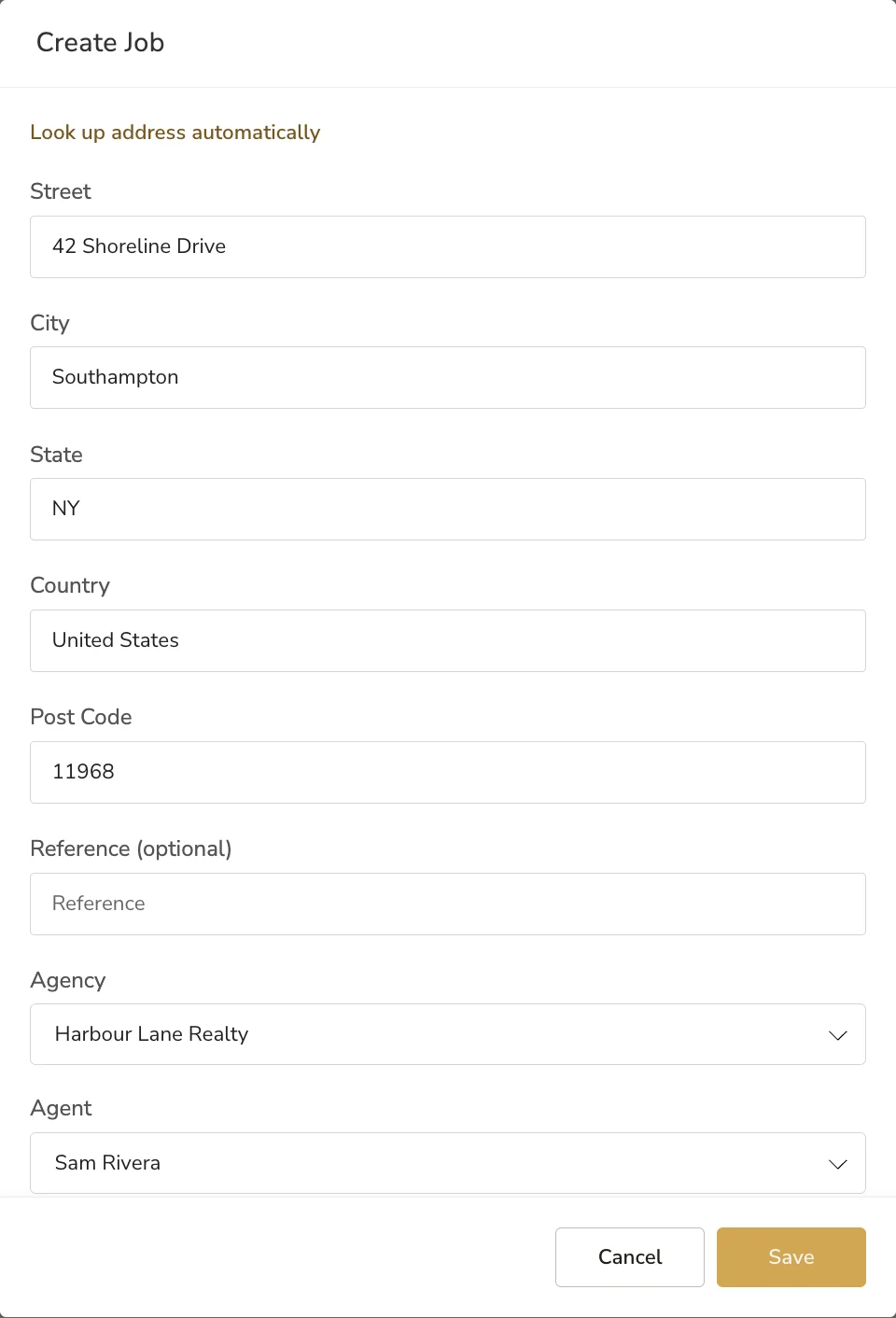
- Start typing the property address and pick it from the suggestions. If it is not found, click Manually add address and fill in the street, city, state, country and post code.
- Add a reference if you use one. It is optional.
- Pick the agency and, if you have set one up, the agent. Only agents of that agency are listed.
- Click Save. The job appears at the top of the list as No Products.
Add a product and upload
- Open the job with the arrow in its Details column.
- Choose a product from Select a product to add and click Add Product. An uploader opens for each service in that product.
- In the Image Processing uploader, enter the number of finished images you want in Num. of Finals. Processing Required and Zero Touch are already on: LUXengine edits these with AI.
- Drag your files in, or click Select files.
- Click Upload on each uploader.
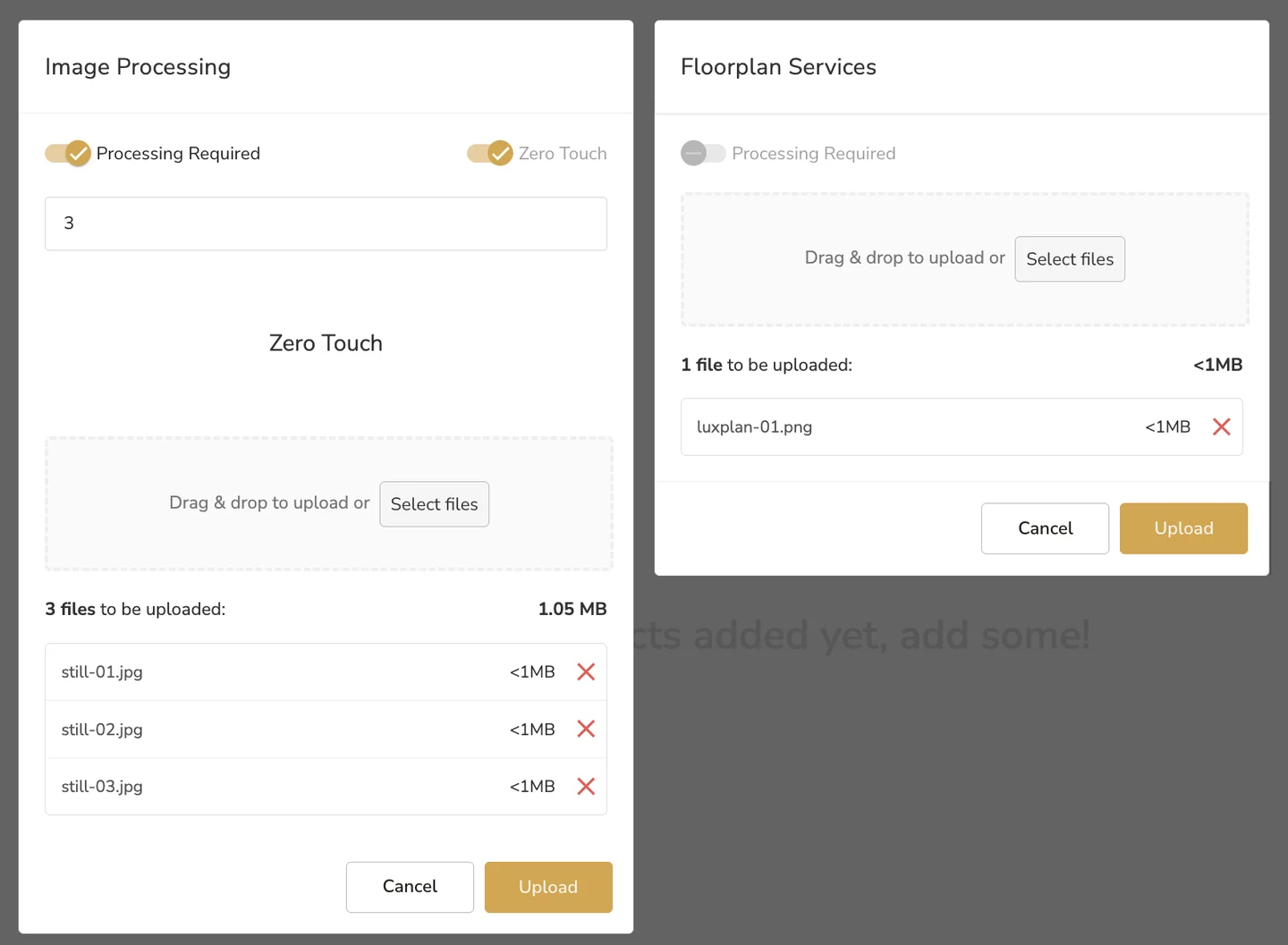
Video Services and Floorplan Services uploaders have processing switched off. What you upload there goes straight onto the job, ready to deliver, such as a finished plan from LUXplan.
Follow the upload
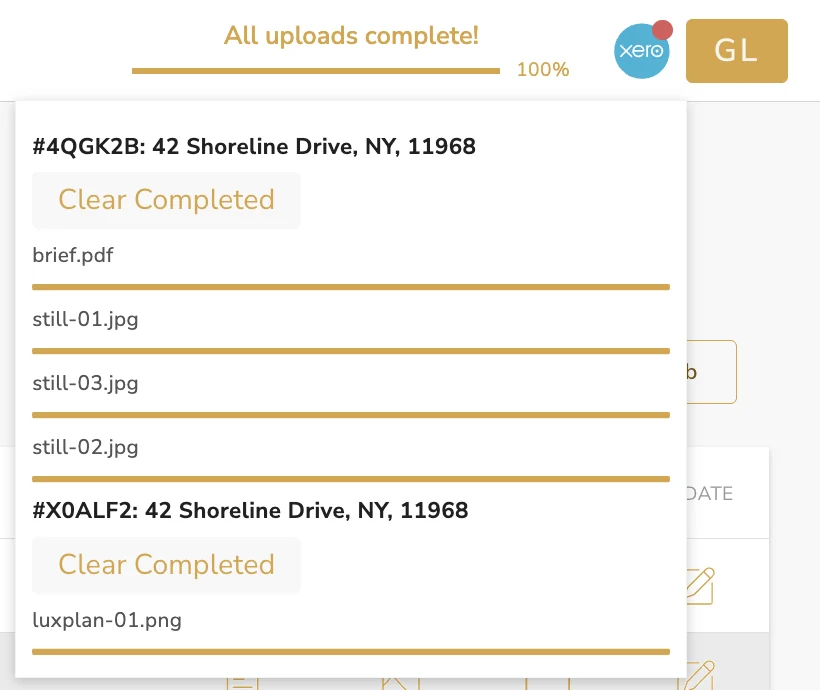
Uploads carry on in the background, so you can move on to the next job. The bar at the top of the page shows progress, and its panel lists each service's files. Click Clear Completed to tidy finished ones away.
The job page then lists each service with its ID, product and status: In Progress while it is being edited, Member Review when it is ready for you, and No Processing for files that went straight onto the job.
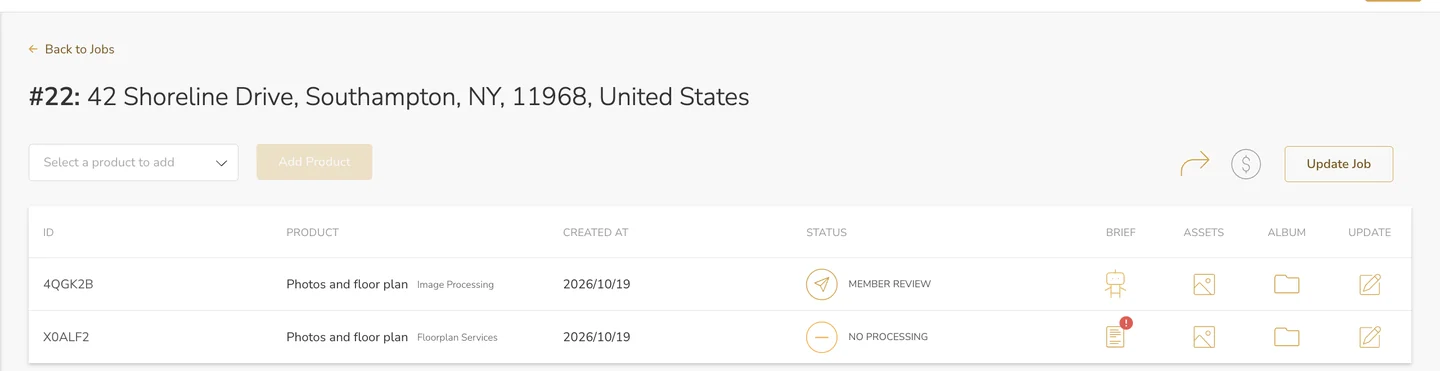
To add files to a service later, click its pencil icon in the Update column.
What to send
- Images. RAW and JPEG files can go up together. Send every bracket you shot for each frame: LUXengine blends the exposures into one finished image, so Num. of Finals is the number of frames, not files.
- Image size. Images are edited at up to 4,000 pixels on the long edge. Larger files are scaled down to that and never scaled back up.
Common questions
Can I mix RAW and JPEG files in one upload?
Yes. Send them together.
What do I put in Num. of Finals?
The number of finished images you expect back. With brackets, that is the number of frames you shot, not the number of files.
Do I use credits for every file I upload?
No. Credits are used per finished image, so the brackets behind one image count once.
What happens to images bigger than 4,000 pixels?
They are scaled down to 4,000 pixels on the long edge and edited there. Nothing is upscaled.
More in shoots and production
Still need a hand?
Email hello@luxengine.com and tell us what you were trying to do.