

Sharing finished work with agents
Send an album to your agent or agency, add a note, and set the web size and watermark their images use.
Updated 19 October 2026
Check the album before you share it, and send back anything that is not right.
Share an album
- Click the share arrow: in the Share column on the Jobs page, or at the top of the job or album page.
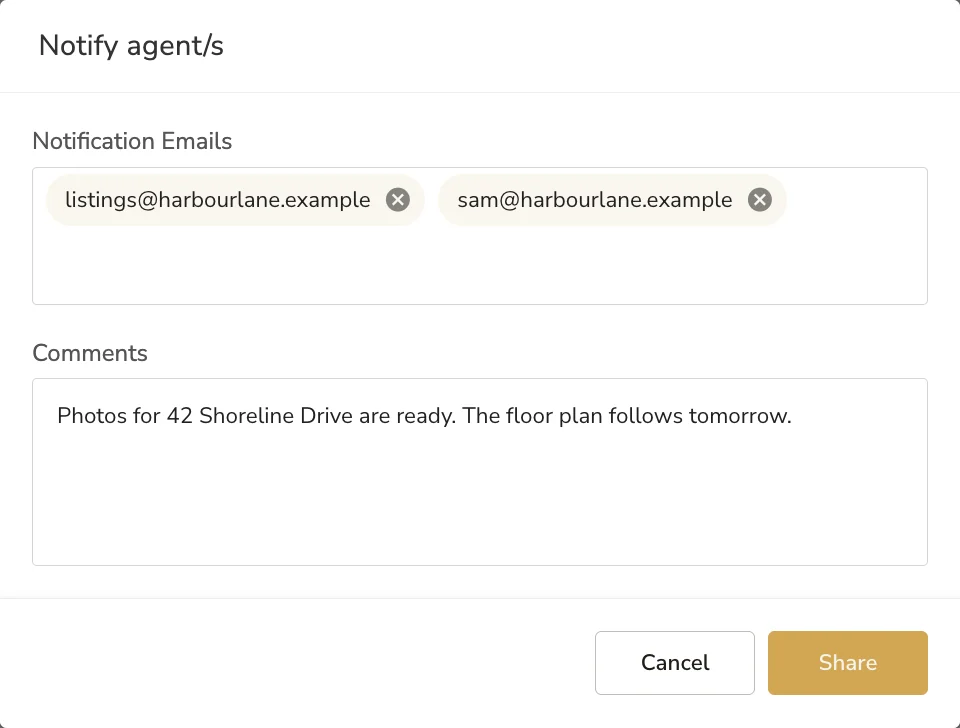
- The Notify agent/s window fills in the notification emails from the job's agency and agent. Remove any you do not want, or type in others and press Enter.
- Add a note under Comments if you want to.
- Click Share.
What your agent gets
An email from your business, with your logo, saying an album for the address has been shared with them, with your note and a View album button. Agents do not sign in: the album shows them the delivered images.
Web sizes and watermarks
Each agency has a web image size and, if you add one, a watermark. They are set on the agency: see Setting up your clients and products.
Common questions
Does my agent need to sign in?
No. Agents do not sign in to LUXengine. The album you share shows them the delivered images.
Can I share an album with someone who is not on the job?
Yes. Type any email address into the Notify agent/s window.
Where do the addresses come from?
From the notification emails on the job's agency and agent. Change them there and every future share uses the new ones.
Can I add a message?
Yes. Type it under Comments before you click Share.
More in delivery and invoicing
Still need a hand?
Email hello@luxengine.com and tell us what you were trying to do.