What you get back, and when
What the finished images are like, how to tell when work is ready, and where to find and download it.
Updated 19 October 2026
When it is ready
When a service has been edited, its status changes from In Progress to Member Review, on the job and in the Jobs list, and we email you. Open the album from the folder icon in the Albums column, or from the job page.
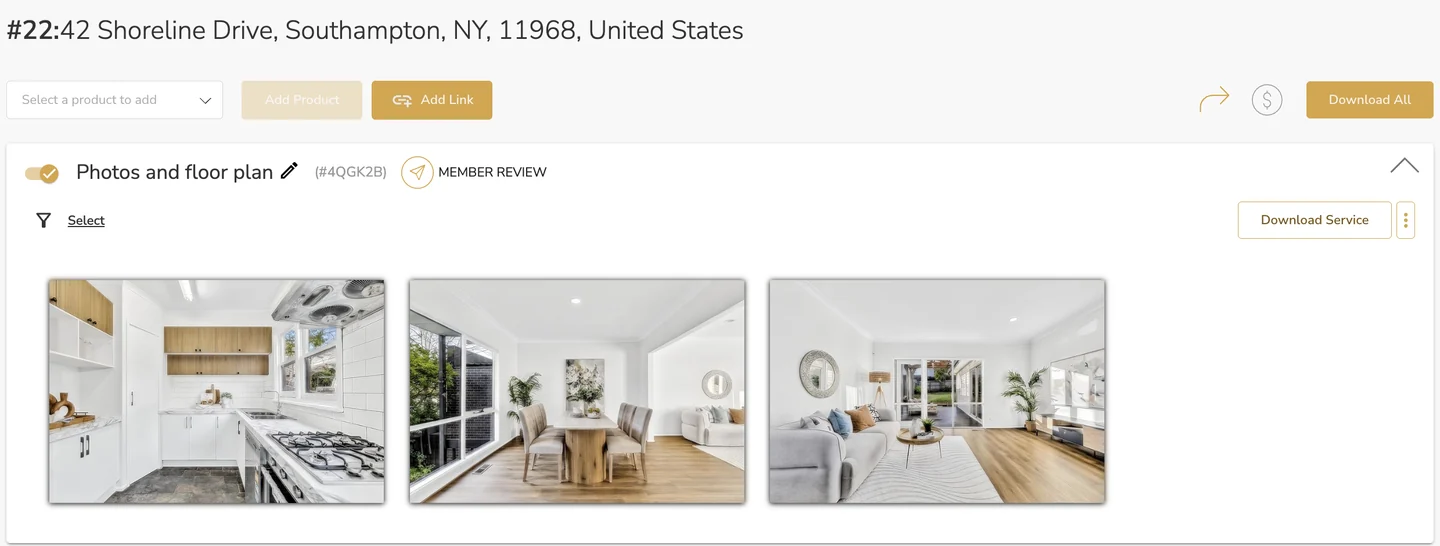
Everything waits in the album for you to check before your client sees it. Download Service downloads one service's files, and Download All downloads the whole job.
Images
Every image gets the same treatment: exposure blended, windows pulled, verticals straightened and colour matched across the set. Images are usually back within minutes.
The edit is deterministic, so the same file always comes back the same. It is also non-generative: nothing is invented. Carpet weave, roof tiles and brickwork stay as you shot them, and no face in a photo on the shelf is ever redrawn.
Images come back at up to 4,000 pixels on the long edge. Files shot larger are scaled down to that, never back up.
Video and floor plans
Films and floor plans you upload under Video Services or Floorplan Services are not processed. They go straight into the album, marked No Processing, ready to share with the rest of the job. You draw floor plans yourself in LUXplan on iPad: see Floor plans with LUXplan.
Common questions
How do I know my images are ready?
The service moves to Member Review and we email you.
Will LUXengine add or remove things in my photos?
It does not invent anything. There is no furniture that was never in the room and no redrawn faces. It edits the files you captured.
What size are the finished images?
Up to 4,000 pixels on the long edge.
Can I download everything at once?
Yes. Download All on the album downloads the whole job.
More in shoots and production
Still need a hand?
Email hello@luxengine.com and tell us what you were trying to do.